 - Assign the object(s) to logical groups.
Objects can be assigned to logical groups either individually (during their configuration) or as a group, i.e. several objects together.
- Assign the object(s) to logical groups.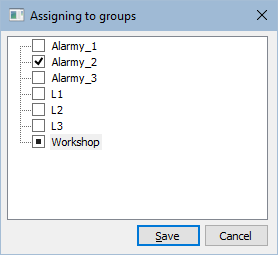
The dialog box contains the tree structure of all logical groups defined in the application. The checkbox in front of a name of each logical group inform us what kind of operation is to be executed for the object selected in the selection window in regard to logical groups.
| Includes given objects in selected group. |
| No change. |
| Excludes given objects from selected group. |
To change a membership of the selected object, click on the proper logical group, or select particular group and click on a button with the proper symbol.


