- Select the Compositions from the Open menu or click
 button from the Main toolbar (or press CTRL+Q).
 - Opened window contains a list of defined compositions.
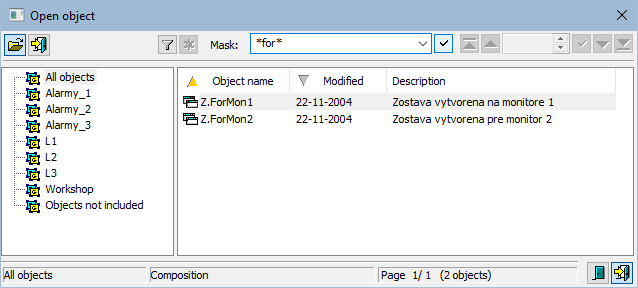
Every composition of graphic information windows is uniquely determined by name and description in the list.
To open a composition:
button from the Main toolbar (or press CTRL+Q). button. You can open the composition by double-click on its name, too.
To find a particular composition in the list is possible by mask or by filter (clicking on button  ). By using filter, the mask is blocked but the text is not deleted. Push the ENTER key or button
  to start searching.
The text from filter is deleted after clicking on button  . The button is active only if filter contains some text.
The buttons placed on the bottom right corner determine the behaviour of the selection window after selecting the object:
 | Unclose the selection window. |
 | Close the selection window. |