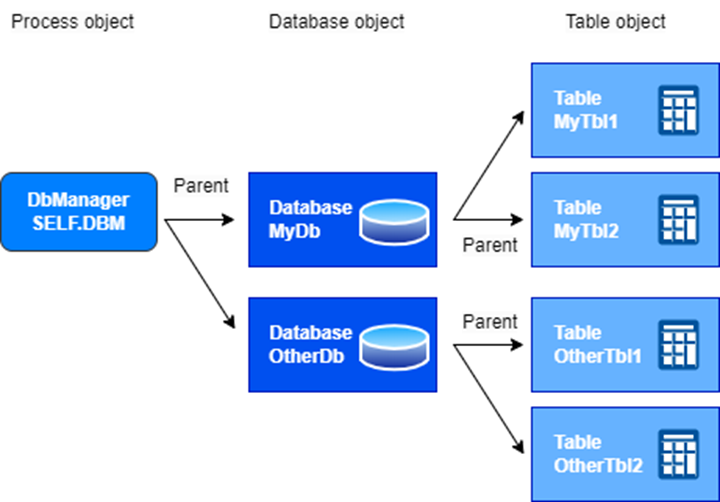
The D2000 DBManager process is used to work with application databases. This process accesses the SQL databases and performs all necessary actions. Requests for DBManager come from D2000 Event Handler processes (scripts executed on the server) and from D2000 HI processes (direct user access to databases via the Browser viewer + active schemas with scripts).
The D2000 DbManager process can access databases in two different ways:
It depends on the used binary (in the *.DBM process configuration), which version of the DBManager is started:
You can read the following blogs about DBManager: |
Within the DODM model, the DBManager process is the parent of objects of type Database, and these are the parents of objects of type Table.
Database object
The Database object represents the SQL database together with the access rights to it, as it also contains the configuration of the username and password. Therefore, it is necessary to create several objects of type Database if we need to access the SQL database with different access rights (e.g. to access different schemas).
The D2000 DBManager process is optimized for the parallel work of several users with a Database type object. Therefore, it can create multiple connections to one SQL database. Each such connection is serviced by its task and can work in transactional mode (reserved for the specific ESL script that created the transaction) or in non-transactional mode (shared by several scripts or D2000 HI processes, with a COMMIT automatically performed after each operation, so we call such a connection also automatic). In the configuration dialog of the Database object, you can set the number of predefined connections (they are created after the start of the DBManager process), limit the maximum number of connections, the maximum number of non-transactional (automatic) connections, and even reserve automatic connections for the Browser displayer.
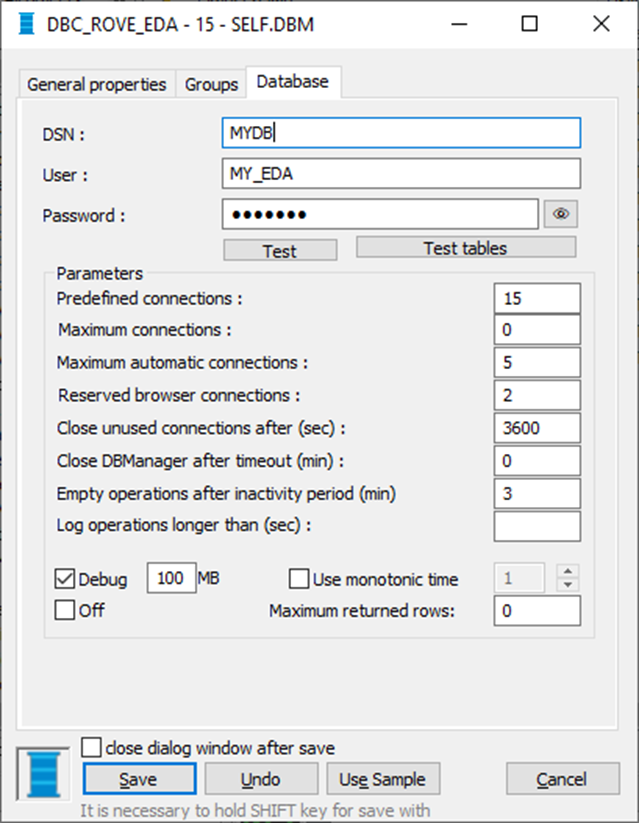
It is also possible to specify after what time unused connections (created beyond the scope of predefined connections) should be closed. DBManager allows the created connections to be recycled - since the creation of a connection can be a rather demanding operation with high overhead for some SQL databases (e.g. Oracle).
If there is a firewall on the network between the DBManager process and the SQL database, it can be useful to specify empty operations after some time of inactivity - sometimes it happens that the firewall "cancels" a TCP connection that has not been used for a long time, and when DBManager tries to use it again, an error occurs. Empty operations make it possible to continuously check the connection status with the SQL database and to recreate it in the event of a breakdown.
It is also important to be able to set the interpretation of time data in the database - times can be in local time (according to the time zone of the server on which DBManager is running), or in monotonic time with a specified offset from UTC.
The value of an object of Database type is equal to the current number of connections that the DBManager process has created for this object.
Table object
The Table object represents a table or view in an SQL database. Each table has its own structure - column names and data types, which are defined by an object of the Structure Definition type. It is possible to configure which columns make up the key, which are optional (i.e. exist in the structure definition in D2000, but not in the SQL database), and which are non-null.
On the Table object, it is also possible to define the type of access to the table (none, read, read+modify).
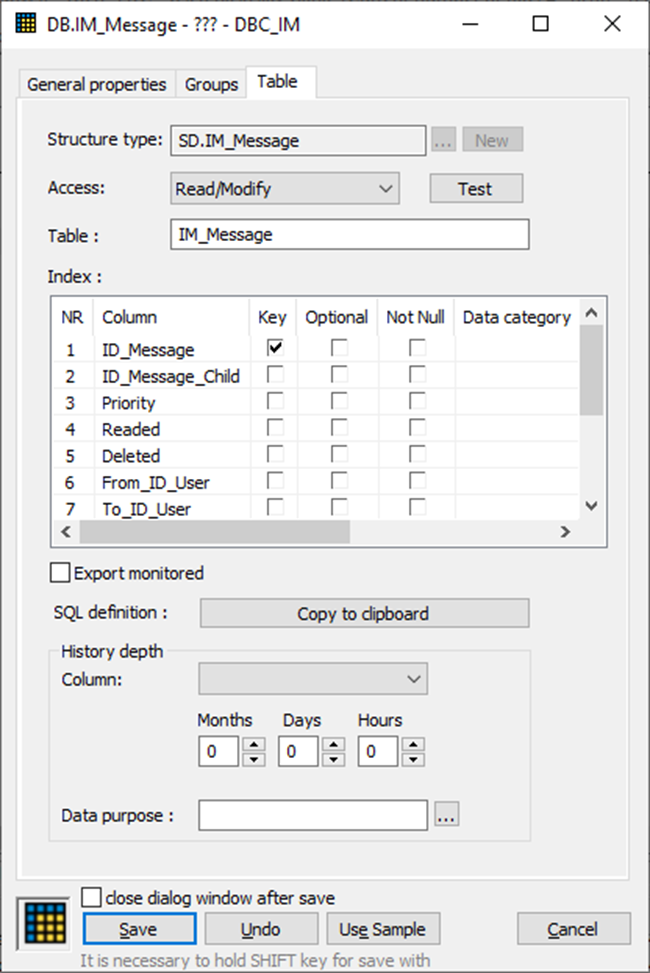
A useful feature is defining the time depth. DBManager can automatically delete data in the table whose defined column (of type Absolute Time) is older than the time depth. Alternatively, different time depths can be defined for different periods using a Data Purpose object.
Due to data protection laws (GDPR), the possibility of automatic data anonymization in selected columns based on the set time column was also implemented.
Example of use: data in the Name, Surname, Date_of_Birth columns in the Contract table will be anonymized after 5 years based on the Contract_End_Time column. Anonymization will take place in such a way that the Name and Date_of_Birth are deleted, the Surname is changed to "Anonymized yyyy-mm-dd", where yyyy-mm-dd is replaced by the date on which the anonymization was performed.
Database operations
The actions performed by DBManager can be divided into several groups.
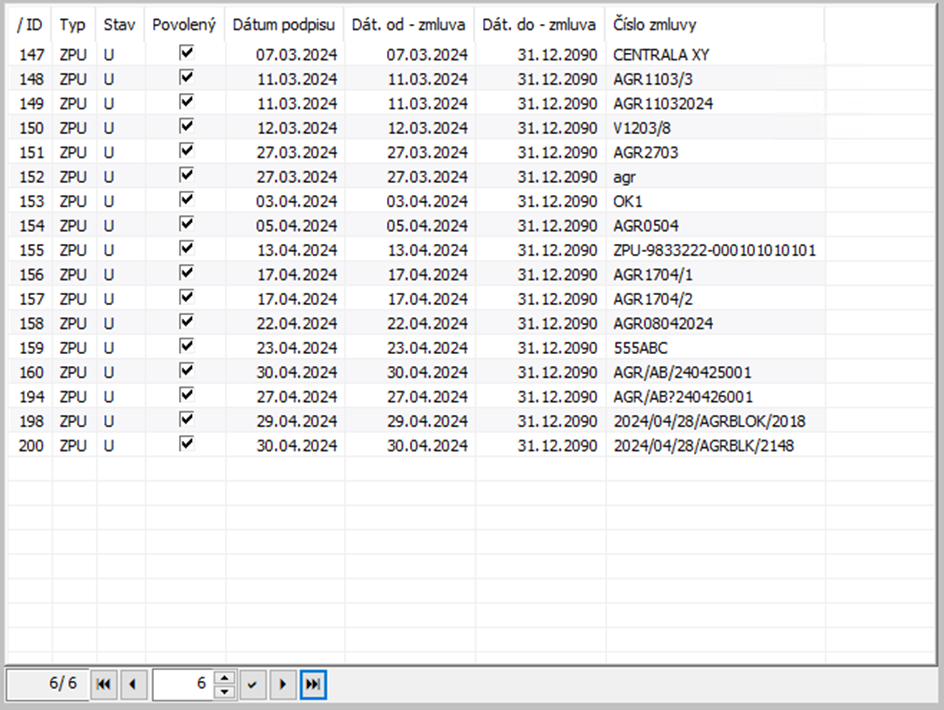
Actions of the Browser displayer – this is a direct interactive viewing of data by the user within the scheme or directly in the D2000 HI. The user can navigate between individual pages and edit, insert new rows, and delete rows according to the configured access rights and properties of the Browser.
Script actions - actions performed in an ESL script (and their equivalents available from the Java language). These can be further divided into several categories:
The transaction handle can subsequently be used for actions belonging to other categories. If these actions do not use a transaction handle, COMMIT is performed automatically after each action.
After the SQL_PREPARE action, it is possible to perform the sequence SQL_BINDIN (setting parameters - different each time) and repeated SQL_FETCH-es (reading the returned rows) several times. Finally, we end the work by calling SQL_FREE. This is how the recycling of parameterized SQL commands is implemented.
The documentation includes the chapter DbManager - Tuning and Debugging as well as a description of working with the DbManager Diagnostic Pack. |