Bitmaps are raster pictures created by in a bitmap editor. The only condition to use bitmaps in the process D2000 GrEditor is that the bitmap file must be in the BMP, JPEG, TIFF, GIF or PNG formats format.
Bitmaps of PNG, GIF and TIFF are native transparent format. In the D2000 system, bitmaps of BMP type are extended with the feature of transparent color. The black color that is defined as the first color of the color palette of corresponding bitmap is viewed as the transparent color.
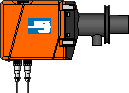 |  |
| color bitmap | Monochromatic bitmap |
Bitmap localization
In the D2000 system, bitmaps are placed in the directory Bitmaps, that is a subdirectory of the application directory.
All bitmaps are located in this directory.
The bitmaps existing also in other language mutations, are located as well as in language subdirectories of directory Bitmaps, whereby names of subdirectories correspond to the names of languages defined in application.
By reason of decreasing the network load when opening the pictures, the copies of the directory are created on user consoles. Their synchronization is executed after running the user console (D2000 HI) and D2000 GrEditor. GrEditor also allows to request the synchronization manually.stored in the configuration database.
Note: The bitmaps of JPEG format do not contain the transparent color as the BMP format.
| Info | ||
|---|---|---|
| ||
Creating bitmaps |