...
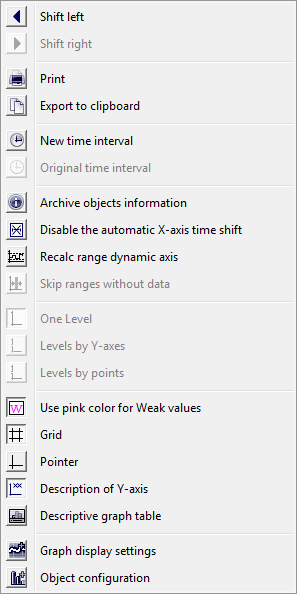
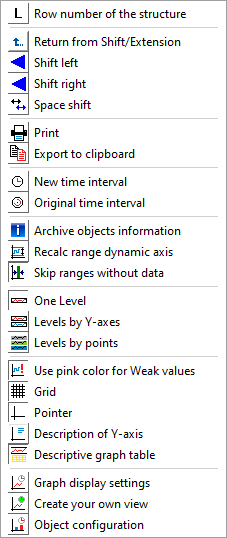
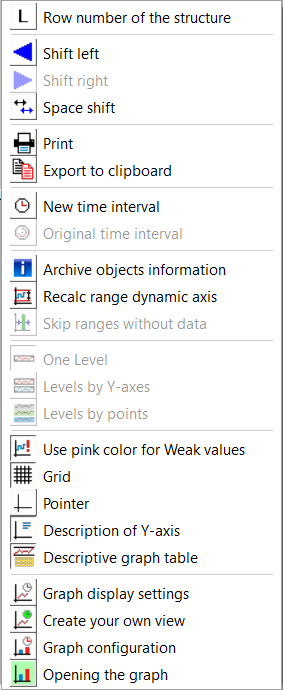
The configuration of a graph - check box Control buttons as popup, enables to display the control buttons via popup menu instead of displaying the control panel in upper part of window. This menu opens after right clicking in the area for description of x/y-axis in graph. Popup menu is also accessible when the buttons in upper part are hide because of smaller graph window. The popup menu is not accessible if the control buttons are disabled in the graph or they are disabled by the function %HI_SetVisibleGraphControls.
| Kotva | ||||
|---|---|---|---|---|
|
Graph window allows to show the table of particular object's values. Select the Display Table item from the menu opened after right-click on an object name in the table displayed in the graph window – the Object column. For more information see the topic Viewing values from the graph in the table.
The menu contains next items to set the axis range assigned to object - the Change Axis Range item and to emphasise the flow of particular object - the Highlight the Line item. Highlighting may be only applied for flows on analogue axis.
...