...
The following controls appear in the dialog box after selecting the radio button Digital axis:
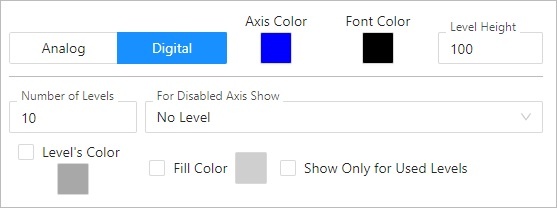
Number of levels
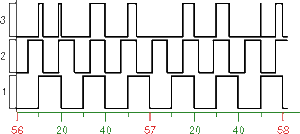
The parameter allows to define a number of levels for the digital axis. Digital axis can contain up to 50 levels. Division of digital axis into particular levels is useful if the graph will display more objects of Boolean type. If different level of digital axis is assigned to each of these object then the object values will be drawn into corresponding levels and not into the same space. The situation is shown in the following figure.
For disabled axis show:
The parameter specifies the behaviour if the digital axis is not enabled in the graph. Possible values:
- No level
- Used levels
- All levels
Level's color
Color of levels' boundaries. Color is defined by selecting from the color palette opened by clicking the button placed right from the sample of currently selected color.
...
If the parameter is checked, levels and fills in the graph will be depicted only for those levels that contain a graphic flow.
For disabled axis show:
The parameter specifies the behaviour if the digital axis is not enabled in the graph. Possible values:
- No level
- Used levels
- All levels
| Kotva | ||||
|---|---|---|---|---|
|
Name of the Y-axis (vertical). It is displayed in the graph area. Possibility to use the Dictionary (to open press CTRL+L).
Font
Text font of defined axis description. Clicking the button  cancels the currently selected font and sets the default one.
Color
Color of the axis description. Color is defined by selecting from the color palette opened by clicking the button placed right from the sample of currently selected color.
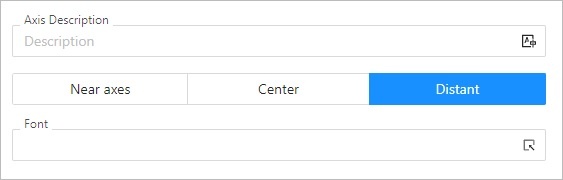
Placement
Position of the axis description. The options for selection for:
- Y axis: Near axis, Center, Distant.
If text overlaps, only text for left axis is displayed.
If axis placed on the left and on the right side is identical, only description for left axis is displayed. - X axis: Near axis, Center, Right
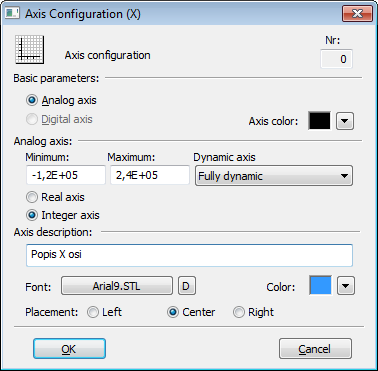 Font
Font
Text font of defined axis description by clicking the button  .
.
Requirements
| Minimum supported version | D2000 V12.7N |
...