...
It is necessary to install the PostgreSQL database which is used for storing the configuration of applications. In the case of the Demo version, the support for HW keys, and the choice of the hardware key/software key is not essential.
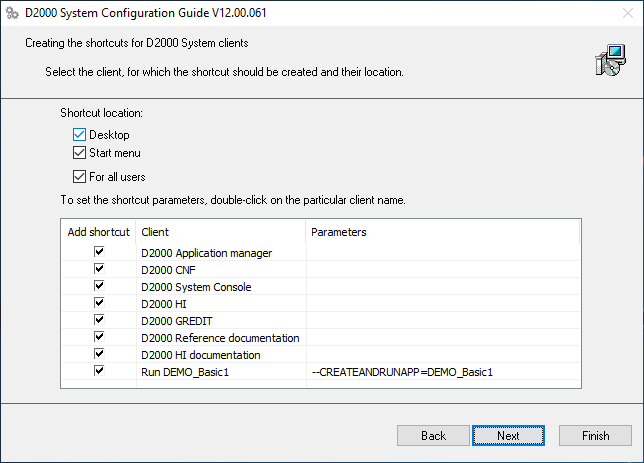
Dialog The dialog box shows the settings for the creation of the shortcuts for individual components. In most cases, the default setting is correct.
...
The choice “Run demo application” enables the creating creation and running of the demo application after the end of the installation. It is possible to save the set parameters of the installation. The last installation phase will run after clicking the button “Finish”.
...
Now the instance of the D2000 system is installed, configured, and ready to be used. After clicking the "OK" button, the"Complete" button will be available, shown on the previous slide. By clicking the button, the installation will be completed and the DEMO_Basic1 application will be created.
...
Human Interface – D2000 HI will open with the starting scheme S.Welcome. By clicking on the "Explore" button, the main summarizing scheme of the DEMO application will open.
...
There are demonstrations and the usage of the basic types of graphic objects displayed in the DEMO application. In In the section “Pictures”, there are two examples of practical usage of the graphic objects – there is a demonstration scheme that overwatches oversees the process of charging and discharging a battery and a technological scheme of a gas station is shown.
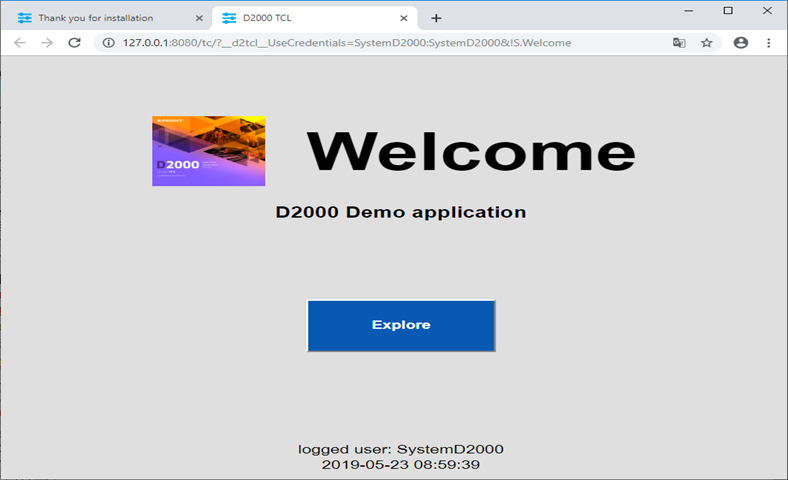
On the web browser's other tab of the web browser, there will be a welcoming scheme S.Welcome will be displayed in the thin client environment. It is the same scheme S.Welcome as is displayed in the D2000 HI window. The description of its functionality and usage is, therefore, the same.
...
Graphic editor – GR serves for creating visualization and completes the configuration of the application. Currently, it offers a configuration of the initial scheme from the previous slide (S.Welcome). If it is changed and saved, the result will be visible in HI (if it is not visible in HI, there is a need to logout log out and login log in again).
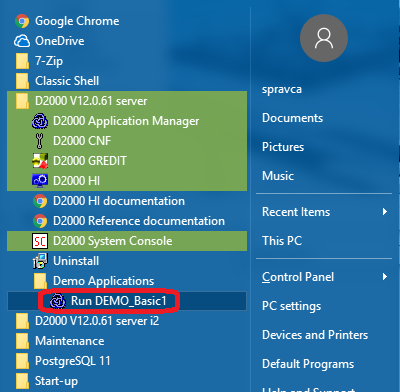
The DEMO_Basic1 application can be started individually separately by clicking on the link “Run DEMO_Basic1”.
After the applications start, also the processes D2000 HI and D2000 GR will run automatically, and in the web browser, the thin client with the scheme S. Welcome will appear.
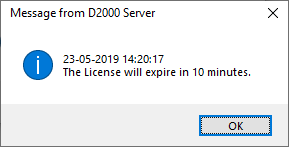
Without a paid license, the application in the DEMO mode will be automatically shut down after an hour. Before that, a system message about the time limitation of the license validity appears. The license will be automatically renewed if the parameters of the Internet connection are set correctly and are enabled to send the diagnostic data to the central Ipesoft server if done accordingly according to the following slide - and if you are using the latest Ipesoft D2000 version.
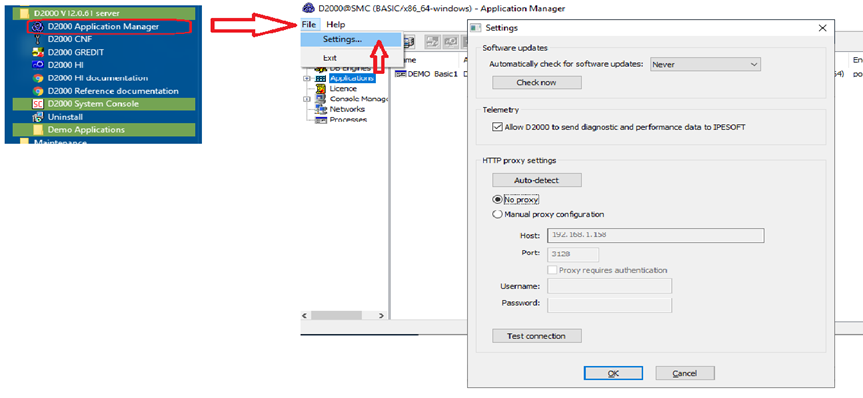
By choosing File/Settings in the Application managerManager, the Settings window is opened. The correct parameter values of our internet connection can be configured here. The “Auto-detect” button sets everything automatically. If the proxy server is used, the correct parameters of the proxy server must be entered. The correctness of parameters is tested by clicking the “Test connection” button.
...