...
- In Cnf, you can go to the Object menu and select History. In the dialog window, set Modify time from/to appropriately and click Find. The list can be copied (Ctrl+C) as a CSV list.
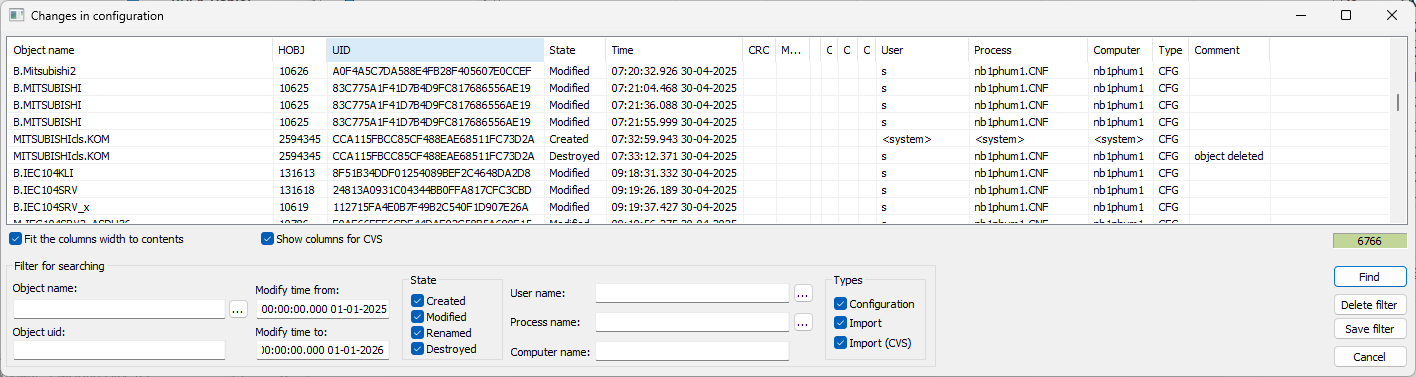
Full list: see file ‘D2000 changes of objects in 2025.xlsx’
For each object, its default latest history is limited to the last 7 changes; this is configurable by a system parameterLogRecsLimit. So, currently, only the last 7 changes of all objects modified in 2025 can be obtained from the system. The reason is to keep the Configuration database within reasonable size limits.
For more info, see the documentation - Object modification history. - Using the Logging database. The default history depth of the Logging database is, however, only 7 days; this is configurable (so currently changes since 1/1/2025 are not stored). The reason is to keep the Logging database within reasonable size limits.
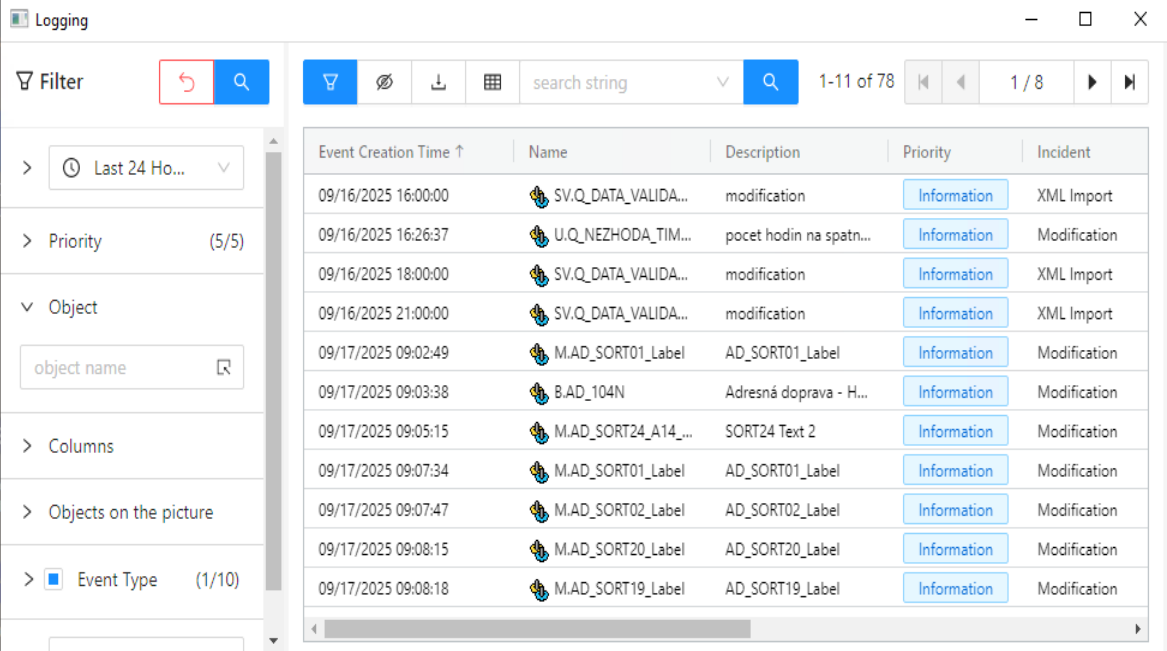
For more info, see the documentation - System Event Logging (D2000).
Also, “GIT object history” can be configured. In this mode, the D2000 system stores all changes (not only information about change, but XML export of changed objects| to an internal GIT repository, which can be viewed, used to compare individual versions, and, if needed, return to older versions.
For more info, see the documentation - GIT object history.
Provide a system-generated listing (Excel is preferred) of all users / IDs with the ability to modify production application code in the D2000 system, as well as those that can move code changes to the production environment (if applicable).
Please provide an electronic copy of the query utilized or a screenshot showing how the listing was generated. If the listing is generated from the ticketing system, please provide a screenshot of the last modified date for the D2000 system in an effort to tie the two together.
Only the administrators can modify the application code (ESL scripts), as well as other D2000 objects configurable in D2000 Cnf. „move code changes to the production environment” is applicable to D2000 technology (see XML Export/XML Import), but there is almost no test environment for any of the D2000 systems in <Our_company>. Still, only administrators can perform XLM import, so the list would be identical.
For major implementation changes, the changes are created at the supplier and gradually deployed into production using the XML Export/XML Import utility. Of course, a backup of the system database is performed before deploying the changes.
Administrators can be filtered in the ‘D2000 list of users.xlsx’ file.